












Your Guide to Enjoying a Zoom Magic Show (Hosts, Feel Free to Forward This)
Your Guide to Enjoying a Zoom Magic Show (Hosts, Feel Free to Forward This)
So you’ve been invited to a Zoom magic show.
Maybe it’s part of your company’s holiday party. Maybe it’s a team celebration, an onboarding event, or a client appreciation night. Either way, you might be wondering what to expect, and whether you need to do anything special to enjoy it.
The good news: you don’t need to do much at all. But a few small choices can make the experience a lot more fun.

I’m Magical Katrina, a professional magician and mentalist based in Las Vegas. I’ve been performing professionally for 14 years in over 20 countries, and I’ve appeared on Penn & Teller: Fool Us and Masters of Illusion. I perform live, interactive virtual shows for teams around the world. This guide is written for guests, so hosts are welcome to share it in their invitations.
At the end, I’ll share the one setting I’d encourage every guest to try during a Zoom magic show. It’s a small change that makes a big difference.
What Is a Zoom Magic Show?
A Zoom magic show is a live performance of magic and mentalism over video. It isn’t a prerecorded video. It happens in real time, and guests can take part from wherever they are.
My shows blend two crafts:
Magic: impossible moments that unfold on screen, often shaped by guests’ choices.
Mentalism: the appearance of reading minds, predicting decisions, and revealing thoughts nobody said out loud.
Before the Show: Simple Setup Tips
Use the Biggest Screen You Can
A laptop or desktop usually gives you a better view than a phone. If you can, join from a larger screen so you can see the performance and your colleagues’ reactions clearly. It’s the easiest way to upgrade your Zoom magic show experience.
Check Your Connection
A stable internet connection helps the show run smoothly for you. If your Wi-Fi is spotty, try moving closer to your router. Nothing interrupts a Zoom magic show moment like a frozen screen.
Find a Comfortable Spot
Choose a place where you can relax and focus for the length of the show. A quieter space makes it easier to hear.
Update Your App
If you haven’t updated Zoom in a while, doing so before the event can prevent last-minute surprises.
Join a Few Minutes Early
Logging in a little early gives you time to sort out audio or video before the Zoom magic show begins.
If You’re Joining From a Shared Space
Not everyone has a quiet home office. If you’re joining from an open-plan office, a shared apartment, or a busy household, a pair of headphones helps you hear every word of the Zoom magic show without disturbing the people around you.
If others are home and curious, you might even invite them to watch over your shoulder. Some of the funniest reactions come from family members who wandered in halfway through and can’t believe what they’re seeing.
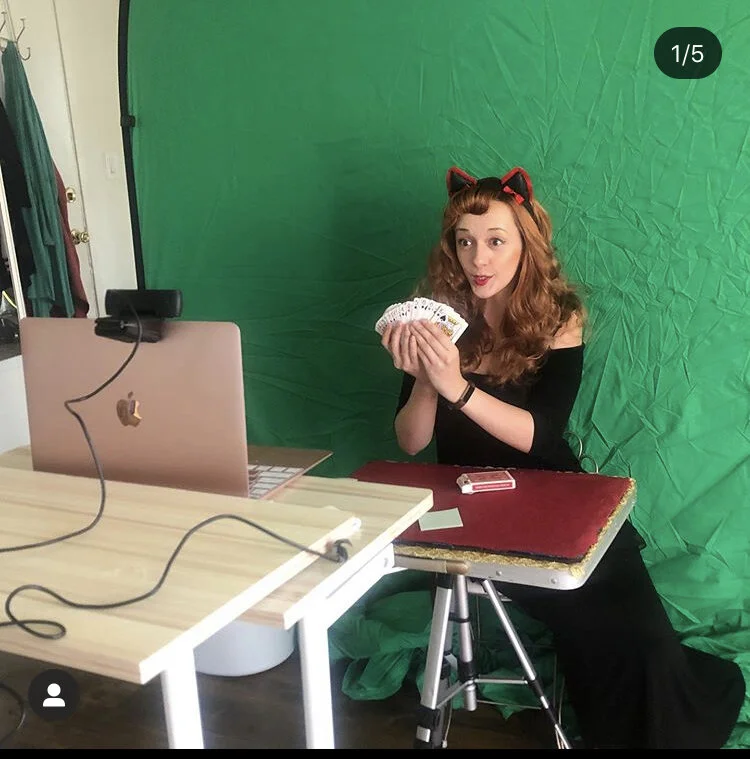
Cameras On (If You Can)
Magic is more fun when people can see each other react. If you’re comfortable, turn your camera on. Your reactions are part of what makes a Zoom magic show feel like a shared experience.
That said, cameras are optional. If you’d rather keep yours off, you can still enjoy the show and react in the chat.
A Few Camera Tips
Face a window or lamp so your face is lit from the front.
Set your camera at eye level if you can.
Choose a tidy background, or use a simple virtual background.
During the Show: How to Get the Most Out of It
Close Your Other Tabs
It’s tempting to check email during a video call. But during a Zoom magic show, a few seconds of distraction can mean missing the moment that makes everyone gasp.
React Out Loud
If your host allows guests to unmute, don’t be shy. A spontaneous “No way!” or laugh makes the show feel alive for everyone. Those reactions are the soundtrack of a great Zoom magic show.
Use the Chat
The chat often becomes a lively part of the experience, with guests sharing reactions and theories in real time.
Volunteer If You’d Like
You may be invited to take part. Participation is always optional, so volunteer if you’re excited, or simply enjoy watching if you’d rather not. Some of the best moments in a Zoom magic show happen when a guest takes part.
Have Fun Trying to Figure It Out
Part of the fun is trying to work out how it’s done. Go ahead and form theories. Just don’t be surprised if you can’t crack it.
If Something Goes Wrong
Tech hiccups happen. If your video freezes or your audio drops, don’t panic. Leave and rejoin the call, check your connection, or switch to your phone as a backup. The show will carry on, and you’ll be back in the action in moments.
A Note for Hosts
If you’re hosting a Zoom magic show, sharing tips like these with your guests in advance can make a big difference. A short note in your invitation, such as “Join a few minutes early, cameras on if you can, and get ready to have your mind read,” sets the right tone.
Hosts should also plan a quick tech check with the performer and make sure guests can unmute and react during the show.
My virtual Zoom shows typically range from $1,400 to $5,000, depending on audience size, format, and customization. Depending on the event, I can also weave in your company name, a milestone, a theme, or a guest of honor.
My professional experience includes events connected to Formula 1, the Olympics, Porsche, Prada, and Ritz-Carlton. I’m a member of The Magic Circle in London and the Academy of Magical Arts in Hollywood, and I’ve won five magic awards.
Frequently Asked Questions
What do I need to attend a Zoom magic show?
Usually just a device with Zoom, a stable internet connection, and ideally a camera. A larger screen gives the best view of a Zoom magic show.
Do I have to turn my camera on?
No. Cameras are encouraged because they make the show more fun, but they’re always optional.
Will I be put on the spot?
Only if you want to be. Participation is always optional, and nobody is forced into the spotlight.
Can I join from my phone?
Yes, though a laptop or desktop usually gives you a better view of the performance and your colleagues’ reactions.
How do I book a Zoom magic show for my team?
Reach out with your date and time, time zone, estimated guest count, the type of event, and anything you’d like woven into the show.

The One Setting Every Guest Should Try
So here’s what I promised.
Try switching to gallery view when the big moments happen.
In speaker view, you see one person at a time, usually the performer. That’s great for watching the magic itself. But when the reveal happens, the most fun part is often seeing everyone else’s reactions at once: your manager’s jaw drop, a colleague covering their face, someone across the world laughing out loud.
Gallery view shows you all of that. It turns a screen of separate boxes into a room full of people experiencing the same moment together. Many guests find that switching between views during the show gives them the best of both.
That’s the real magic of a Zoom magic show: not just watching something impossible happen, but watching it happen to everyone together.
If you’re planning a virtual celebration and want a Zoom magic show your team will enjoy from the first minute to the last, I’d love to hear about it. Reach out with your date, time zone, guest count, and what you’re celebrating.